Amazon Seller Growth Copilot Review: A Smarter Way to Analyze Ads and Build Listing Links
Amazon operations can become messy fast. A seller may start the day checking campaign performance, then jump into search term data, then review listing URLs, then prepare reports, then share product links with a team member, supplier, agency, or manager. None of these tasks sounds difficult in isolation, but together they create a lot of small operational friction.
Amazon Seller Growth Copilot is designed for that kind of daily Amazon seller workflow. It is positioned as an Amazon store growth operations assistant, with a focus on helping operators analyze advertising performance and generate useful listing link information more efficiently.
For Amazon sellers, marketplace operators, agencies, and growth teams, this is not just a convenience problem. Advertising analysis, listing organization, and link preparation affect decision speed. If your team is slow to understand what is happening in ads or slow to package listing information for action, optimization work gets delayed. A tool like Amazon Seller Growth Copilot can help reduce that repetitive work.
This review explains what the software is for, who should use it, where it may fit in an Amazon workflow, and what to consider before adopting it.
What Is Amazon Seller Growth Copilot?
Amazon Seller Growth Copilot is a software tool for Amazon operators who need a faster way to handle seller-side growth tasks. The first MVP is intentionally practical: it does not modify the Amazon Ads backend by default and does not call the real Amazon Ads API in its first stage. Instead, operators upload reports, review recommendations, and confirm an execution plan before actions are treated as approved.
Based on the product positioning and workflow, it focuses on four practical areas:
• Helping Amazon operators analyze uploaded advertising reports
• Supporting listing-related workflow organization
• Generating listing link information for easier sharing and review
• Turning ad optimization suggestions from pending ideas into approved execution plans
Instead of treating Amazon work as a single dashboard problem, the tool appears to focus on the daily workflow around seller growth. That matters because many Amazon teams do not only need charts. They need to turn data into decisions, links, tasks, and follow-up actions.
For example, an Amazon operator may need to upload a Search Term Report, Advertised Product Report, Campaign Report, and Targeting Report, review which campaigns are wasting budget, identify which products need optimization, collect listing links for internal review, and send those links to a designer, copywriter, agency partner, or manager. If each step is done manually, the workflow becomes slow and error-prone.
Amazon Seller Growth Copilot aims to act as a practical assistant for those repetitive seller operations.
Who Is It Best For?
Amazon Seller Growth Copilot is best for people who work directly with Amazon store performance and listing execution.
It is especially relevant for:
• Amazon marketplace operators who manage ads and listings every day
• Amazon PPC specialists who need faster campaign analysis support
• Ecommerce teams that manage multiple ASINs or product pages
• Agencies handling Amazon accounts for multiple clients
• Sellers who want to organize listing links and ad insights more efficiently
• Growth managers who need cleaner operational visibility
This tool is less about broad ecommerce strategy and more about execution. If your role involves checking Amazon performance, organizing listing information, preparing links, and making daily optimization decisions, it can be useful.
Key Features and Workflow Benefits
Report Upload Workflow
The MVP workflow starts with report uploads rather than direct Amazon Ads API automation. That makes it safer for teams that want ad analysis support without immediately connecting API permissions or allowing automated campaign changes.
Amazon operators can upload reports such as:
• Search Term Report
• Advertised Product Report
• Campaign Report
• Targeting Report
• Business report
• Inventory report
• Product cost report
This is useful because many Amazon teams already export reports from Seller Central or Amazon Ads. A report-upload workflow lets operators bring those files into one analysis process and receive structured recommendations.

Advertising Diagnosis and Recommendation Workflow
Amazon advertising can be difficult to monitor because performance changes across campaigns, ad groups, keywords, search terms, products, and time windows. Operators often need to answer questions such as:
• Which campaigns are spending without enough return?
• Which listings are connected to stronger ad performance?
• Which keywords or targets need attention?
• Which products should be optimized before increasing ad spend?
• Which data points should be shared with the team?
Amazon Seller Growth Copilot can help operators analyze advertising information more efficiently. The system can use order data, ACOS, clicks, spend, and budget status to generate pending recommendations. These recommendations are not treated as final actions immediately. The operator reviews them first.
That pending-to-approved workflow is important. It gives Amazon teams a safer way to use automation:
1. Upload ad reports.
2. Let the system generate pending suggestions.
3. Review recommendations in the ad recommendations area.
4. Click confirm execution when the operator agrees.
5. Save the approved recommendation as an execution plan.
In the first version, the tool does not call the live Amazon Ads API. That is a sensible MVP boundary because PPC changes can affect real budget. Later, if Amazon Ads API access is enabled, the product can still preserve safeguards such as approved-only execution, saved execution plans, batch limits, and budget-increase controls.
The biggest benefit is not simply seeing numbers. The real value is reducing the amount of manual checking required before a seller can decide what to do next.
For Amazon PPC teams, even small time savings can matter. If a tool helps you move faster from raw data to useful insight, it can improve how often you optimize campaigns.

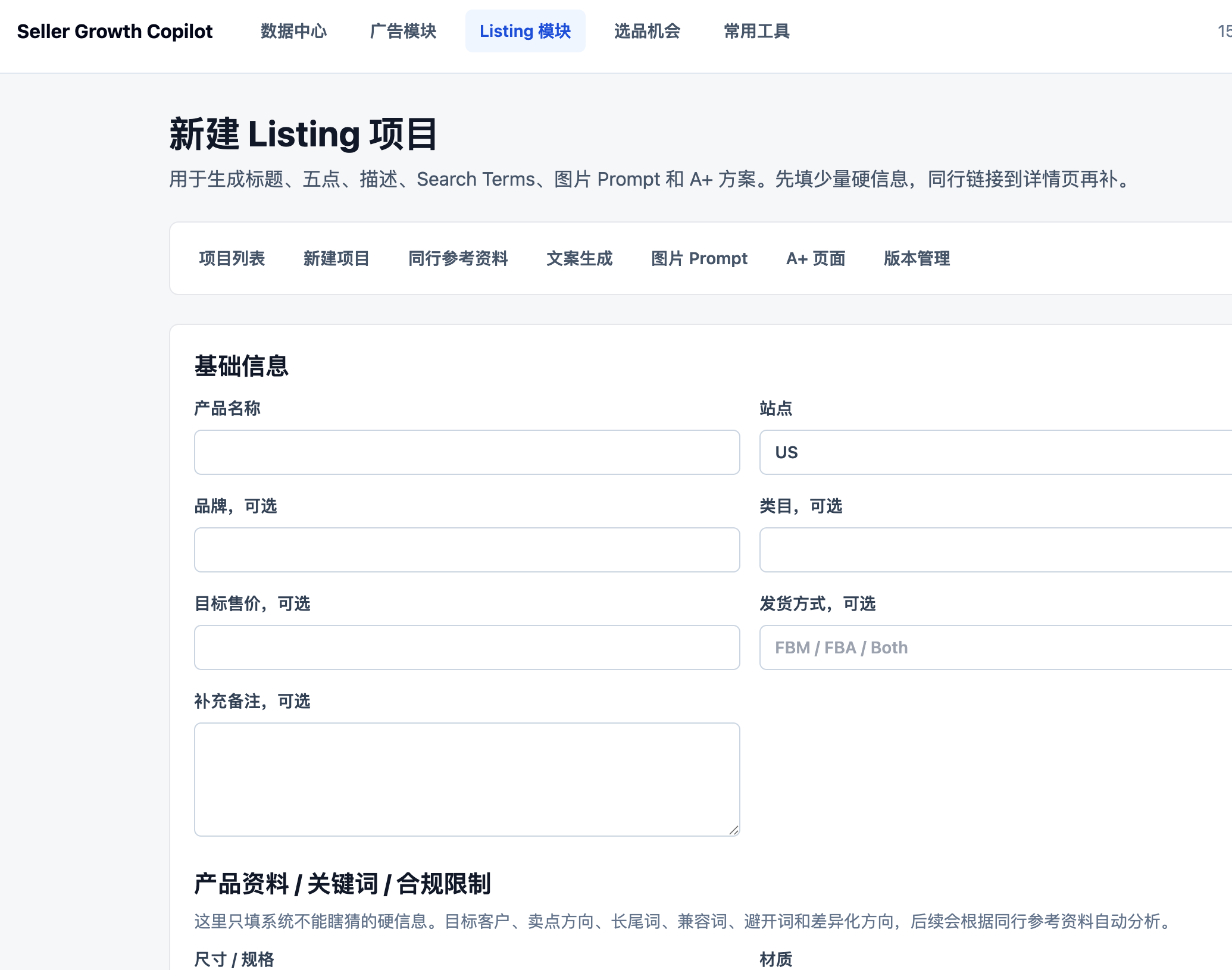
Listing Link Information Generation
Listing links are a surprisingly common operational pain point. Amazon teams often need clean product links for:
• Internal optimization review
• Designer or copywriter handoff
• Supplier communication
• PPC review
• Product launch planning
• Competitor comparison
• Client reporting
• QA checks
Manually collecting listing links can become annoying when a team manages many ASINs or campaigns. A link may need to include product information, listing context, or other details that make it easier for the recipient to understand what they are reviewing.
Amazon Seller Growth Copilot helps generate listing link information, which can make this workflow cleaner. Instead of copying, pasting, checking, and formatting links one by one, operators can use a more structured process.
That is useful for agencies and teams because better link organization reduces confusion. When people receive the right link with the right context, they can act faster.
Daily Operations Efficiency
Amazon operations are full of repeated tasks. Some are strategic, but many are mechanical. The more products and campaigns you manage, the more those small tasks pile up.
A good operations assistant should help with:
• Reducing repetitive manual checks
• Organizing data and links in a cleaner way
• Making ad analysis easier to repeat
• Supporting faster communication between team members
• Helping operators focus on decisions instead of formatting information
Amazon Seller Growth Copilot fits that category. It is not just a reporting tool. It is better understood as an operations helper for Amazon growth work.
SKU Health, Profit, and Daily Report Support
The MVP also points toward a wider seller operations toolkit. Beyond ad recommendations, useful workflow areas include SKU health checks, ad diagnosis, profit calculation, and daily operation reports.
For Amazon teams, these modules fit together naturally. Advertising performance is not isolated from profit, product cost, stock status, and listing quality. A campaign may look attractive from a clicks perspective but still be weak after cost and margin are considered. A SKU health center and profit calculator can help operators evaluate ad decisions with more context.
Why Amazon Operators Need This Kind of Tool
Amazon sellers already have access to Seller Central and ad reports, but those native tools are not always designed for fast daily workflows. Seller Central gives sellers data, but operators still need to interpret, organize, and communicate that data.
That gap creates several common problems.
First, advertising analysis can be too manual. Operators may need to move between multiple reports and screens before understanding what changed.
Second, listing information is often scattered. Product pages, ASINs, campaign data, and optimization tasks may live in different places.
Third, team communication becomes messy. When links or product details are shared without enough context, people waste time asking follow-up questions.
Fourth, small workflow delays can slow optimization. If a campaign issue is noticed late, wasted spend can continue longer than necessary.
Amazon Seller Growth Copilot is valuable because it targets those practical workflow problems. It helps operators move from observation to action faster.
Practical Use Cases
1. Amazon PPC Review
An operator can use the tool as part of a daily or weekly advertising review process. Instead of manually checking every campaign from scratch, the operator can upload relevant reports and use software support to analyze performance and identify areas that may need attention.
This is helpful for sellers who want a repeatable PPC review rhythm.
2. Listing Optimization Workflow
When a listing needs improvement, teams often need to share the product page with copywriters, designers, SEO specialists, or managers. Listing link information generation can make this process faster and clearer.
For example, an operator can prepare listing context and links for a team member who needs to review images, bullets, pricing, or product content.
3. Agency Client Reporting
Amazon agencies often need to explain what is happening across ads and listings. A tool that helps organize campaign insights and listing links can make reporting more efficient.
Instead of sending scattered links and screenshots, the agency can prepare more structured information.
4. Multi-ASIN Management
The more ASINs a seller manages, the more valuable workflow tooling becomes. Manually handling ad analysis and link preparation for a few products may be manageable. Doing it for dozens or hundreds of listings is much harder.
Amazon Seller Growth Copilot can help teams that need more structure across multiple products.
5. Launch and Growth Tracking
During a product launch, teams often monitor ads, listing performance, and optimization tasks closely. A tool that supports ad analysis and listing information generation can help teams keep launch work organized.
6. Safer Execution Planning
For teams that are cautious about automation, the pending and approved recommendation flow is useful. It allows the software to suggest actions while keeping the human operator in control. The saved execution plan can also be reviewed later, which is helpful for accountability.
Pros and Cons
Pros
• Built around real Amazon operator workflows
• Useful for report-based advertising analysis and daily optimization work
• Keeps ad suggestions in a pending state until the user confirms them
• Supports safer execution planning instead of uncontrolled API changes
• Helps reduce repetitive listing link preparation
• Good fit for sellers, PPC operators, and Amazon agencies
• Can improve team communication by organizing listing information
• More practical than generic productivity tools for Amazon-specific workflows
Cons
• First version does not directly call the real Amazon Ads API
• It may not replace full Amazon analytics platforms for advanced reporting
• Teams still need human judgment for PPC decisions
• The value depends on how often you manage ads and listing links
• Sellers with very few products may not need a dedicated workflow assistant
• Public pricing and feature depth should be checked directly on the official website
Amazon Seller Growth Copilot vs Generic Productivity Tools
Some sellers try to manage Amazon operations using spreadsheets, Notion, Airtable, or generic task tools. Those tools can work, but they are not Amazon-specific by default.
| Criteria | Amazon Seller Growth Copilot | Generic Productivity Tool |
|---|---|---|
| Amazon workflow focus | Built for Amazon operator tasks | Requires manual setup |
| Ad analysis support | Report-based diagnosis and recommendations | Usually not native |
| Listing link generation | Designed around listing workflows | Mostly manual |
| Execution control | Pending to approved plan flow | Requires manual process design |
| Setup effort | Lower for Amazon use cases | Higher customization needed |
| Best for | Sellers, PPC teams, agencies | General project management |
Generic tools are flexible, but flexibility can also mean more setup work. If your main problem is Amazon operations, a focused tool can be more efficient.
Is It Good for Amazon Agencies?
Yes, Amazon agencies are one of the strongest use cases. Agencies often manage many accounts, products, campaigns, and reporting tasks. They need repeatable workflows, clear listing references, and fast ad analysis.
Amazon Seller Growth Copilot can help agencies by reducing the manual work around campaign review and listing link preparation. It may also help account managers communicate with clients more clearly.
For agencies, the key question is whether the tool saves enough time across multiple accounts. If it reduces repetitive work every week, the value can add up quickly.
Is It Good for Small Amazon Sellers?
It depends on the seller's workload.
If a seller has only one or two products and does not actively manage ads, the tool may be more than they need. But if a small seller is running ads, optimizing listings, and trying to grow sales, it can still be useful.
Small sellers often have limited time. A tool that reduces manual analysis and link organization can help them stay focused on higher-value decisions.
Pricing
Pricing details should be confirmed on the official website:
Visit Amazon Seller Growth Copilot
When evaluating pricing, consider these questions:
• How many products or ASINs do you manage?
• How often do you review advertising performance?
• How much time do you spend preparing listing links or reports?
• Are multiple team members involved in Amazon operations?
• Does the tool save enough time to justify the cost?
For workflow tools, the return is often measured in time saved and fewer operational mistakes.
Final Verdict
Amazon Seller Growth Copilot is a practical tool for Amazon operators who need a faster way to analyze advertising performance and organize listing link information. It is especially useful for people who spend a lot of time inside Amazon operations: PPC specialists, marketplace operators, ecommerce teams, and agencies.
The strongest reason to consider it is workflow efficiency with human control. Amazon work often becomes slow because operators must connect data, links, and tasks manually. At the same time, fully automatic PPC changes can be risky. Amazon Seller Growth Copilot's MVP approach is practical because it starts with uploads, diagnosis, pending recommendations, user approval, and saved execution plans.
It is not a replacement for strategic thinking, and sellers still need to understand Amazon advertising fundamentals. But as an operations assistant, it can be a valuable part of a seller growth stack.
FAQ
What is Amazon Seller Growth Copilot?
Amazon Seller Growth Copilot is an operations assistant for Amazon sellers and operators. It helps with advertising analysis, listing workflow support, and generating listing link information.
Who should use Amazon Seller Growth Copilot?
It is best for Amazon operators, PPC specialists, ecommerce teams, and agencies that manage ads, listings, and product information regularly.
Can it help with Amazon advertising analysis?
Yes. One of its core use cases is helping operators analyze uploaded advertising reports more efficiently so they can identify optimization opportunities faster.
Does it directly change Amazon Ads campaigns?
The first MVP does not directly call the real Amazon Ads API by default. It generates pending recommendations, lets the operator confirm them, and saves an approved execution plan.
Does it generate Amazon listing links?
Yes. The tool is useful for generating and organizing listing link information, which helps with team communication, reporting, and listing optimization workflows.
Is it only for agencies?
No. Agencies are a strong use case, but individual sellers and in-house ecommerce teams can also benefit if they manage Amazon ads and listings frequently.
Does it replace Seller Central?
No. It should be viewed as a workflow assistant that supports Amazon operations. Seller Central remains the source for account and marketplace data.
Where can I try it?
You can visit the official website here: Amazon Seller Growth Copilot.