Vendor Security Questionnaire Template: 24 SaaS Security Questions Before Procurement Slows Down
Security review rarely breaks a software deal because the questions are impossible.
It usually breaks momentum because the questions show up too late, in the wrong format, and without a clear idea of what the team actually needs to know.
That is why a vendor security questionnaire matters. It gives buyers a simple way to separate basic shortlist viability from the deeper legal, compliance, and IT review that comes later.
If you are still building the shortlist, start with How to Choose AI Tools Without Getting Lost in Hype and skim the broader tools directory. If you are still filtering vendors before live calls, pair this article with the Software RFP Template. If the vendor is already on your shortlist, use the Software Demo Script and Software Evaluation Scorecard Template alongside this checklist so product fit and security risk get reviewed at the same time.
This is the vendor security questionnaire template I would actually use for a serious SaaS purchase that may touch customer data, internal reporting, or operational workflows.
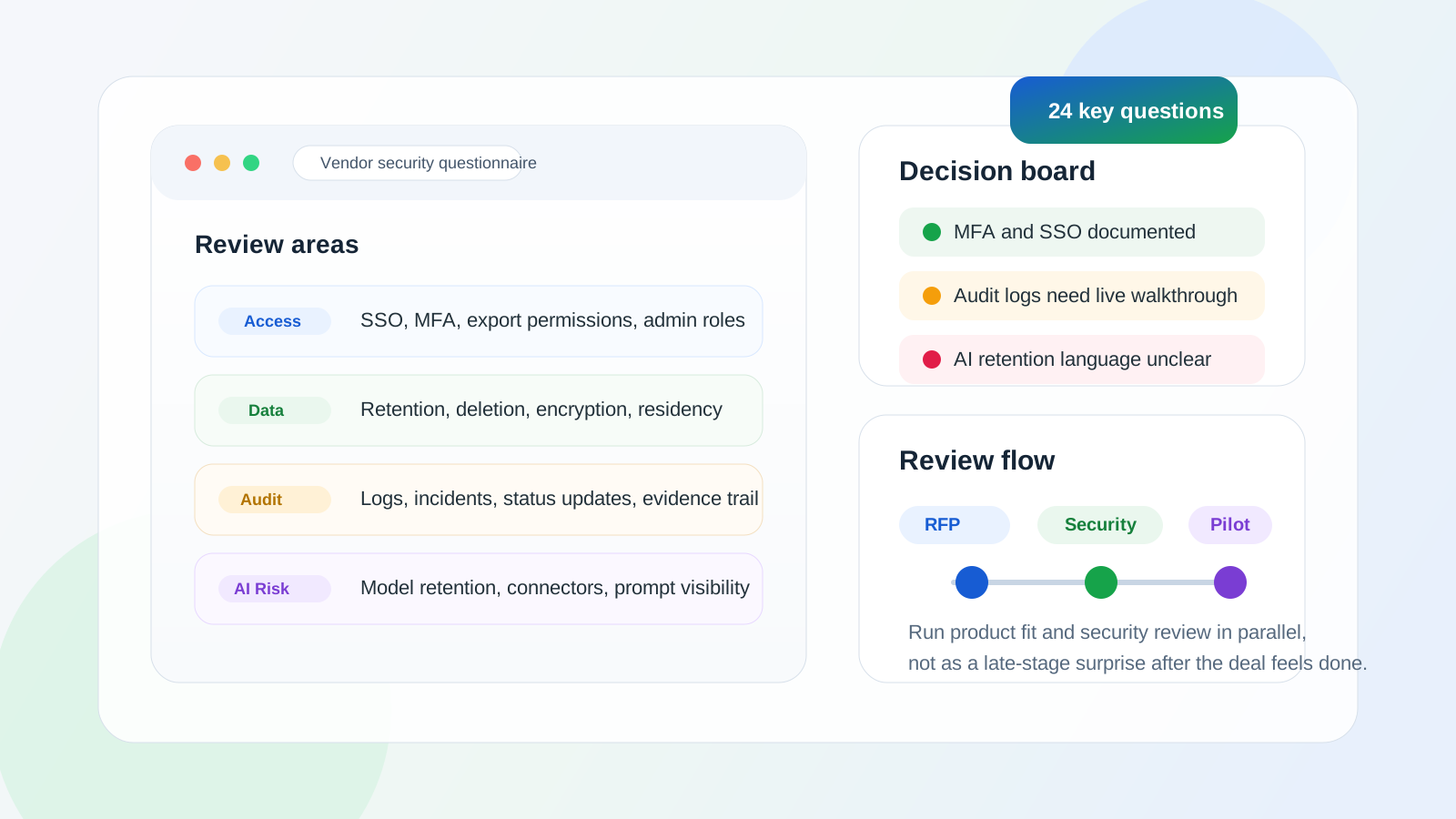
What a vendor security questionnaire should actually do
The point is not to turn a first-round software evaluation into a six-week enterprise audit.
The point is to answer four practical questions early:
- will this product touch sensitive data or critical workflows
- does the vendor already have the basics documented
- are there obvious blockers around identity, data handling, or incident response
- is a deeper security review worth the time
That distinction matters. A shortlist questionnaire should identify risk shape, not recreate a full procurement portal.
Why teams leave security review too late
I see the same pattern often.
The team starts with product excitement. The demo goes well. A pilot gets scheduled. Then someone asks whether the vendor supports SSO, whether audit logs exist, whether customer data can be deleted cleanly, or whether subprocessors are documented. Suddenly the deal slows down because those questions should have surfaced earlier.
This is especially common with AI and workflow tools because the product may look lightweight while still touching real documents, exports, prompts, or customer records.
When to send the questionnaire
For most teams, there are only three reasonable timings:
- Right after the first shortlist is set, before deep demos.
- Immediately after the demo, if the workflow fit looks real.
- At the start of the pilot, if the trial will use real or sensitive data.
If you wait until contract redlines begin, the questionnaire becomes a blocker instead of a filter.
The 24-question vendor security questionnaire template
You do not need to send every question to every vendor. But this set gives most teams enough coverage to decide whether the product is security-reviewable or already drifting into unacceptable risk.
1. Data scope and handling
Start here because many security problems are really data questions in disguise.
- What categories of customer, internal, or operational data will the product store or process in the workflow we described?
- Which data can be exported by standard users, and which actions require admin permission?
- How does data deletion work for records, users, files, and full account closure?
- Is data encrypted in transit and at rest, and are there any exceptions we should know about?
The best vendors answer these directly and with product-level detail. Weak answers usually sound like "enterprise-grade security" without showing what that means in practice.
2. Identity, access, and admin controls
Security review gets painful quickly when role boundaries are fuzzy.
- Which login methods are supported today: email/password, MFA, SSO, SCIM, social login, or something else?
- Can permissions be managed by role, team, workspace, or business unit?
- Can admins restrict who can export data, create automations, connect integrations, or invite new users?
- Is there a visible audit trail for admin actions, permission changes, and critical workflow events?
If the tool will be used across teams, this section matters almost as much as core workflow fit.
3. Infrastructure, backups, and resilience
This is where buyers learn whether the product is merely polished or operationally mature.
- What hosting environment or cloud infrastructure does the product run on?
- How often are backups created, and what is the general restoration process if data is lost or corrupted?
- What recovery expectations can you share for serious outages or account-level incidents?
- Do customers have any options around data residency or regional hosting today?
You do not need perfect architectural transparency on day one. You do need enough clarity to know whether the vendor can support your risk profile.
4. Monitoring, incident response, and change management
Security is not only prevention. It is also about how clearly a vendor responds when something goes wrong.
- How are suspicious access events, failed logins, or major permission changes monitored internally?
- What is your standard customer notification process for a confirmed security incident?
- Do you publish a status page, incident summary, or customer-facing postmortem practice?
- How do you communicate material product or security changes that affect customer setup?
The strongest answers here sound operational, not defensive.
5. Compliance posture and third-party review
Many teams ask only, "Do you have SOC 2?" That is too shallow on its own.
- Which security or compliance documents are already available today: SOC 2, ISO 27001, penetration test summary, DPA, subprocessor list, or similar?
- If you have SOC 2 or another review, what scope does it cover relative to the product we are evaluating?
- Can you share your current subprocessor list and how customers are informed about changes?
- Are security reviews or customer questionnaires handled through a trust center, shared portal, or manual process?
You are checking not only whether documentation exists, but whether the vendor can move through review without chaos.
6. Product-specific AI and workflow risk
If the product uses AI, automation, or external connectors, ask category-specific questions instead of relying on the generic questionnaire alone.
- Is customer data used for model training, product improvement, or any external model-provider retention beyond the stated service workflow?
- Which third-party models, integration partners, or external processors are involved in the workflow we would use?
- Can admins control connector access, prompt exposure, file retention, or generated output visibility by role?
- What safeguards exist to prevent a user from accidentally exposing the wrong document, dataset, or downstream action through automation?
This last section matters more now than it did a few years ago. A modern tool can create risk through connectors and generated actions even when the surface UI looks simple.
A short version for smaller teams
If your team is small and the purchase is not deeply regulated, use a seven-question cut-down version first:
- What data will the tool store or process for our use case?
- Do you support MFA and SSO today?
- Can admins control exports, invites, and integrations?
- Are audit logs available?
- What security/compliance documents can you share now?
- How are incidents communicated to customers?
- Is customer data used for AI training or retained by third-party model providers?
That short version usually tells you whether a full questionnaire is worth sending.
A practical response table you can copy
Put vendor answers in a grid like this so the team can compare them quickly:
| Area | Vendor answer | Evidence provided | Risk note | Next action |
|---|---|---|---|---|
| Data handling | ||||
| Access controls | ||||
| Auditability | ||||
| Incident response | ||||
| Compliance docs | ||||
| AI and connector risk |
The important field is not only the answer. It is the evidence provided. A confident statement without a document, screenshot, or product walkthrough should stay in the "verify later" bucket.
Red flags I would not ignore
These do not always kill a deal, but they should slow it down:
- the vendor cannot clearly explain what data classes the product stores
- permission controls are described vaguely or only at the workspace-wide level
- audit history exists only for billing or admin login events, not workflow activity
- SSO is available only after a pricing jump the team did not expect
- the subprocessor list is hard to obtain or obviously outdated
- AI data handling language is broad, evasive, or inconsistent across docs
- the vendor says they can answer the questionnaire only after signature
Most security-review pain is really clarity pain. Strong vendors make the operating boundaries legible.
A founder note: buyers get better answers when the questionnaire is scoped
If you send a 180-line spreadsheet before the vendor has even proven workflow fit, everyone loses.
Founders start routing the request internally. Buyers wait longer than they need to. And the eventual answers become more ceremonial than useful.
A tighter questionnaire works better. Tell the vendor what workflow you are evaluating, what data would realistically flow through it, and what decision this round is meant to support. That usually improves answer quality immediately.
How this fits into the broader buying process
I would use the sequence this way:
- Send the Software RFP Template to force better written answers.
- Use the Software Demo Script to turn those claims into live proof.
- Run this vendor security questionnaire in parallel once the product looks viable.
- Score the evidence inside the Software Evaluation Scorecard Template.
- If the vendor still looks strong, move into a focused Software Pilot Plan Template.
That order prevents security review from becoming either an afterthought or a bureaucratic first move.
Final Take
A vendor security questionnaire template is useful because it creates a middle layer between product excitement and full procurement drag.
It helps teams ask the right questions early, log the answers in one place, and spot the difference between a vendor that is genuinely review-ready and one that only sounds polished in the demo.
Keep the first pass scoped. Ask about data, identity, auditability, incident handling, documentation, and AI-specific risk. Then use the answers to decide whether the deal deserves a deeper security review or a faster no.
FAQ
What should be included in a vendor security questionnaire?
Include questions about data handling, access controls, audit logs, incident response, compliance documents, subprocessors, and AI or integration-specific risk if the product uses them.
When should we send a SaaS security questionnaire to a vendor?
Usually after the shortlist is real but before procurement becomes the bottleneck. For many teams, that means before deep demos or immediately after a promising demo.
Is SOC 2 enough to clear vendor security review?
No. SOC 2 can be useful evidence, but buyers still need to understand scope, access controls, auditability, data handling, and whether the documented controls actually match the workflow being evaluated.
Do small teams need a vendor security questionnaire too?
Often yes, but a shorter version is enough. Even a lean questionnaire can catch missing MFA, weak export controls, vague AI data policies, or undocumented subprocessors before the team gets too far into the buying cycle.